The Ultimate Guide to Identifying Google Street View Camera Generations
Have you ever been dropped into a random geography game map and felt completely lost? The imagery looks blurry, the colors are weird, and you have no idea where you are. This frustrating problem happens to everyone. You stare at the screen, hoping for a sign or a recognizable tree, but absolutely nothing stands out. You end up guessing blindly and losing your hard-earned ranking points.
The good news is that you can fix this problem right now. The secret lies in understanding Google Street View camera generations. By learning the subtle differences between the cameras Google uses, you can instantly narrow down your location to specific regions or countries. Let's dive into exactly how you can spot these camera differences, understand the hidden visual clues, and drastically boost your geography game score.
What Are Google Street View Camera Generations?
Google did not map the entire world in a single day. Over the years, they upgraded their recording equipment continuously. Each major hardware upgrade is called a "generation." Currently, there are four main generations of cameras you will see while exploring the digital map. Each generation has unique optical traits.
Because Google updated these cameras at different times in different places, some countries only have imagery from older cameras. Other places only feature the newest tech. For instance, a remote dirt road in Australia might still rely on an old camera, while downtown Tokyo uses the newest one. If you can tell the cameras apart, you gain a massive advantage over other players who only look at dirt and trees.
Identifying these generations is entirely about pattern recognition. You do not need to be a photography expert. You simply need to know what visual artifacts to look for. Once you learn the specific blur patterns, color tones, and lens flares, recognizing the camera generation becomes second nature.
Generation 1: The Classic Blur
Generation 1, often called Gen 1, is the oldest and lowest quality imagery available. It looks incredibly blurry. The colors are heavily washed out, and the image is full of digital compression artifacts. In fact, many players jokingly call it "potato quality." You cannot read signs, and faces look like smudges.
You will not see Gen 1 very often today. Google has worked hard to replace most of it over the last decade. However, it still exists in remote, hard-to-reach parts of the USA, Australia, and New Zealand. Occasionally, you might also find it in very old coverage of Western Europe.
If you see extreme pixelation and terrible image quality, you know you are likely in one of these massive, early-mapped countries. Do not panic if you cannot read any text. Rely on the landscape and road lines instead. Remember, if it looks like it was filmed on a flip phone from 2007, it is almost certainly Generation 1.
Generation 2: The Famous Halo Effect
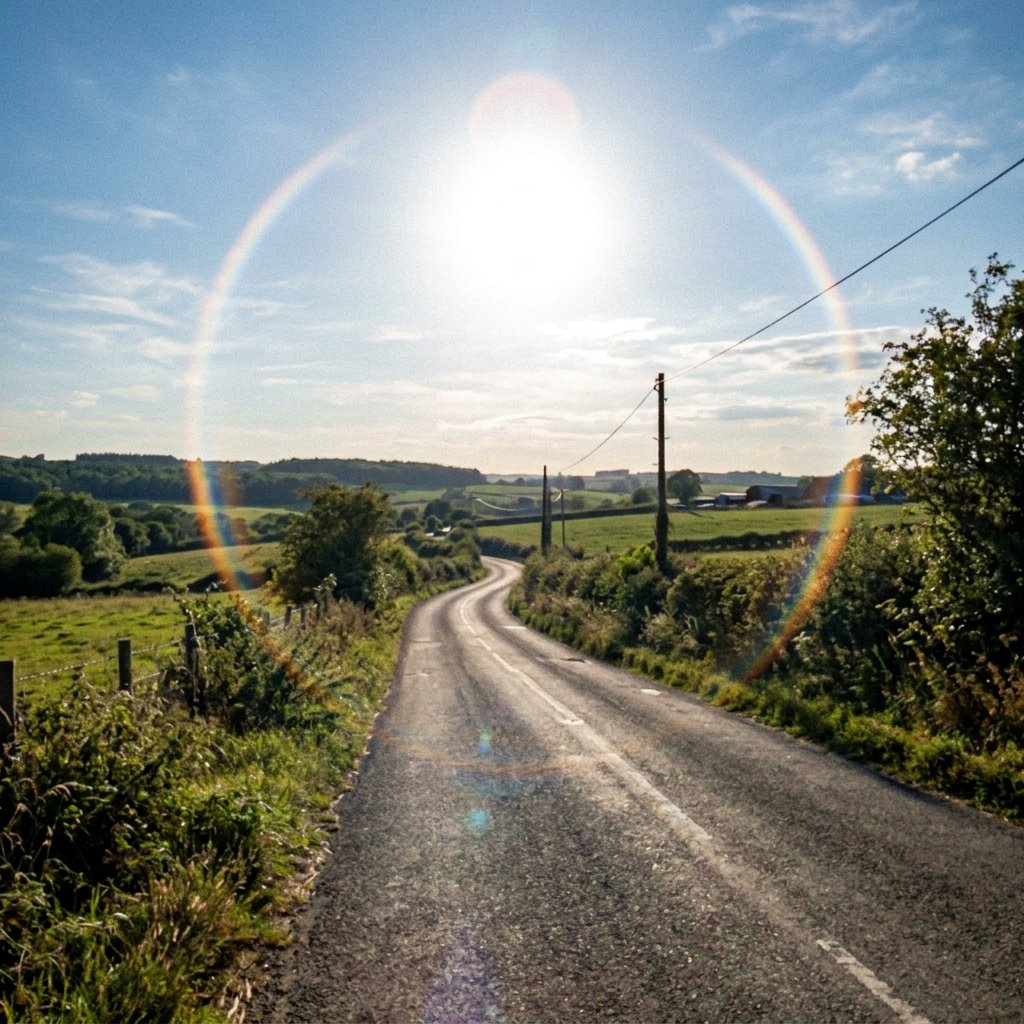
Generation 2 is a noticeable step up from Gen 1, but it is still relatively low resolution by modern standards. The easiest and most reliable way to identify Gen 2 is by looking straight up at the sky. You will almost always see a massive, circular lens flare or "halo" around the sun.
Additionally, if you look straight down at the ground near the camera car, you might spot a large circular blur. This blur intentionally hides the vehicle. The overall image might also feature a slight pinkish or purplish tint, especially in the sky or shadows.
Gen 2 is crucial to memorize because certain countries rely heavily on this old coverage. For example, large portions of Mexico, South Africa, and parts of the United States still use Gen 2. If you see the sun halo above a dry, arid landscape, you can often confidently guess South Africa or Mexico. It is one of the most reliable visual clues in the entire game.
Generation 3: Clearer Text and Muted Colors
When Google introduced Generation 3, it was a massive game-changer. Finally, players could read street signs easily! The resolution improved drastically, allowing you to see license plates, store names, and architectural details. However, Gen 3 has a very specific and recognizable color profile.
The images often look slightly brown, yellowish, or muted. The contrast is lower compared to modern cameras, making the world look a bit flat or overcast, even on sunny days. Shadows are not very deep, and the sky rarely looks perfectly blue.
This generation covers a massive portion of the globe. You will see it everywhere from Europe to South America, to Southeast Asia. It is the baseline standard for most of your rounds. Because it is so common, finding Gen 3 does not narrow down your location as much as Gen 1 or Gen 2. Instead, it tells you to start looking for other clues like language, bollards, and driving sides.
Generation 4: Modern High Definition
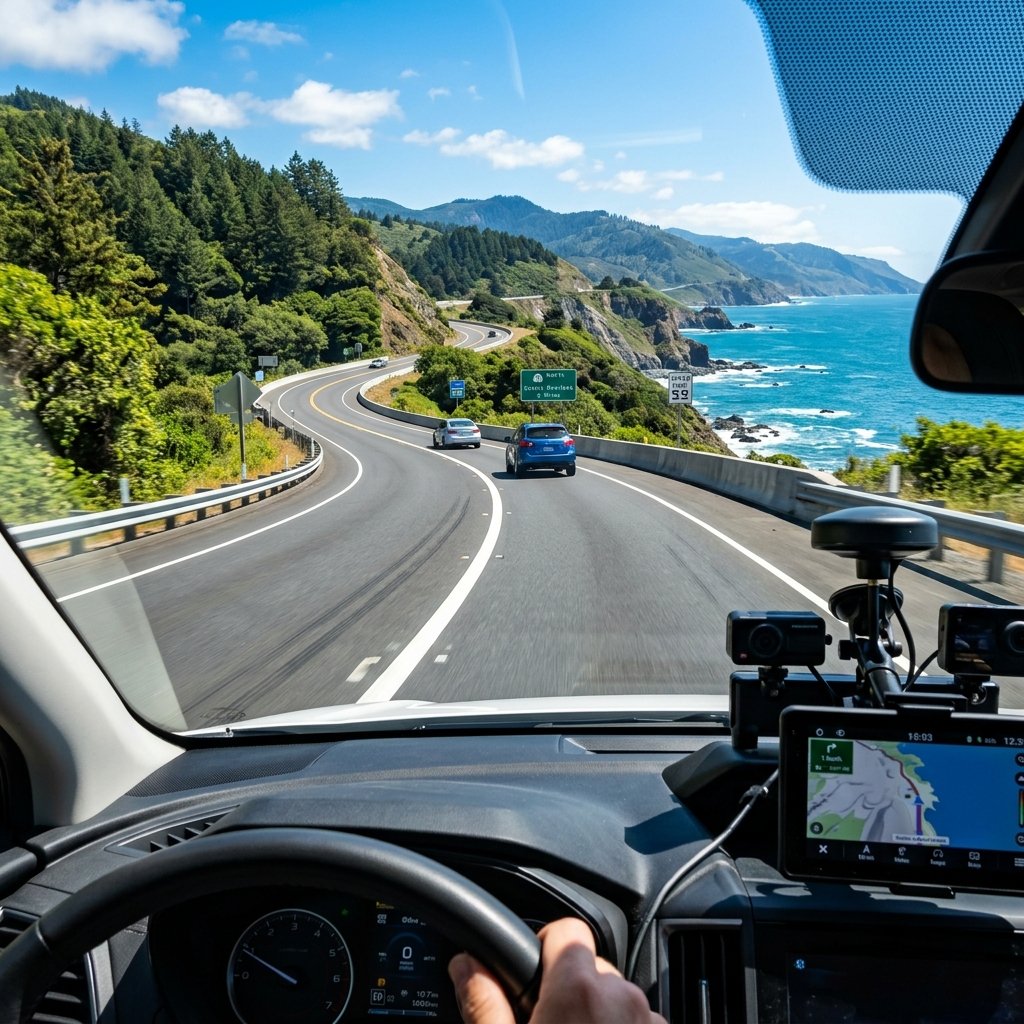
Generation 4 is the newest and highest quality imagery available. The details are incredibly sharp. The colors are vivid, bright, and sometimes look like professional HDR photography.
When you see perfectly clear blue skies, vibrant green trees, and crisp shadows, you are looking at Gen 4. You can easily read small text from far away. The camera captures an incredible amount of light, making even gloomy days look relatively bright.
Many countries in Western Europe, Japan, Taiwan, and parts of South America are heavily covered in Gen 4. Recently, Google has been updating Africa and Eastern Europe with Gen 4 cameras as well. Knowing this helps you rule out underdeveloped or unmapped regions quickly. If the image looks like it could be a wallpaper on your computer, it is Gen 4.
Quick Reference Summary Table
| Generation | Visual Quality | Key Identifiers | Common Locations |
|---|---|---|---|
| Gen 1 | Very Poor, Pixelated | Extreme blur, terrible colors, unreadable text. | USA, Australia, New Zealand (mostly remote). |
| Gen 2 | Low, Muddy | Large circular halo around the sun, circular blur below car. | Mexico, South Africa, parts of the USA and Europe. |
| Gen 3 | Good, Readable Text | Muted, brownish colors, lower contrast, standard clarity. | Worldwide. Very common in South America and Europe. |
| Gen 4 | Excellent, High Def | Vivid colors, sharp contrast, bright blue skies, HDR look. | Japan, Taiwan, Western Europe, recent global updates. |
Combining Camera Generations with Other Clues
Knowing the camera generation is incredibly powerful, but it is rarely enough to pinpoint an exact city. To become a true expert, you must learn to combine this knowledge with other visual clues. This is called "meta-stacking."
For example, let us say you identify Gen 2 coverage by spotting the sun halo. Next, you look down at the road and notice it has solid yellow lines in the center. Then, you see a speed limit sign in kilometers. By combining Gen 2, yellow lines, and metric signs, you can be almost certain you are in Mexico.
Alternatively, if you see Gen 4 imagery with incredibly lush green mountains, left-hand driving, and low-hanging electrical wires, you are almost certainly in Japan or Taiwan. Combining the camera quality with driving side, road markings, and vegetation makes you unstoppable. Always use the camera generation as your first filter, then hunt for secondary clues.
Frequently Asked Questions (FAQ)
1. What is the most common camera generation?
Generation 3 is currently the most widespread coverage worldwide, though Generation 4 is rapidly replacing it in many developed nations.
2. Can camera generations tell me the exact country?
Sometimes! For example, if you see Gen 2 imagery with a specific car meta (like roof racks), you might be absolutely certain you are in Guatemala or Senegal. However, usually, it just helps narrow down the continent.
3. How can I practice spotting these cameras?
The absolute best way to improve is to play consistently. You can test your skills right now by playing our World Guesser game, which drops you into completely random locations.
4. Are there any other clues besides the camera quality?
Yes. Always look for the Google car itself. Roof racks, black tape, or a visible snorkel are massive clues. Check out the official Google Maps Updates blog for official technical information on their mapping cars.
5. Does Gen 1 still exist anywhere in the world?
It is extremely rare today, but you can still find isolated pockets of Gen 1 in rural parts of the US, Australia, and New Zealand where Google has not returned since 2008.
6. What happens when Google updates an area?
The old coverage is hidden by default. It gets replaced by the shiny new Gen 4 imagery. However, you can sometimes access older panoramas manually via the desktop version of Google Maps by clicking the clock icon.
7. Will there ever be a Generation 5 camera?
Google is constantly upgrading their technology. While Gen 4 is currently the standard, it is highly likely that even sharper, 360-degree LiDAR-equipped cameras will eventually become the new baseline.
Conclusion
When I first started playing geography games, I ignored the camera quality entirely. I spent all my time looking closely at dirt colors, street signs, and random trees. It wasn't until I learned to spot the Gen 2 halo and the crisp Gen 4 colors that my scores truly skyrocketed. Memorizing these generations changed how I approached the entire game.
Mastering the camera generations is like gaining a superpower. You will stop guessing blindly and start making highly calculated, confident decisions. Take these expert tips, jump into a match, and watch how much easier it becomes to pin the planet accurately. Keep practicing, keep analyzing the sky, and good luck out there on the leaderboards!